
What is Early Bird at MooseDesk? #
Early Bird users are those who installed and used MooseDesk before the official pricing plan launch date. If you installed MooseDesk before our pricing went live, you’re automatically recognized as an Early Bird user. This is our way of thanking you for being an early supporter of MooseDesk!
What stays free for you #
As you are already using MooseDesk, your current features will stay free forever after the pricing goes live. Nothing changes unless you choose to upgrade. And to thank you for being part of this journey from the very beginning, we prepared a special gift just for you:
50% off your first billing month
Valid until: 23:59 UTC 30 January 2026.
Note: The discount applies to the monthly subscription fee only. Usage-based AI overages are charged at standard rates.
What upgrading helps you do more with less #
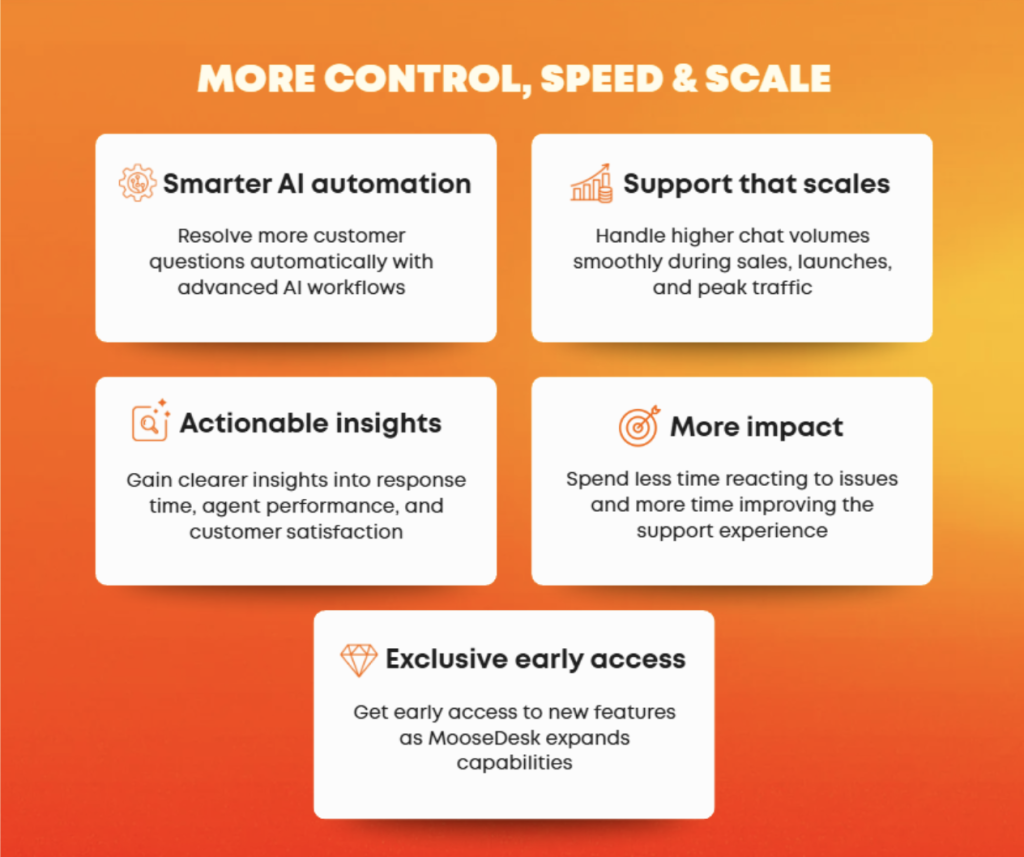
When your support volume grows, your tools need to work harder so you do not have to. With a paid MooseDesk plan, you can have:
Claim your offer in seconds now #
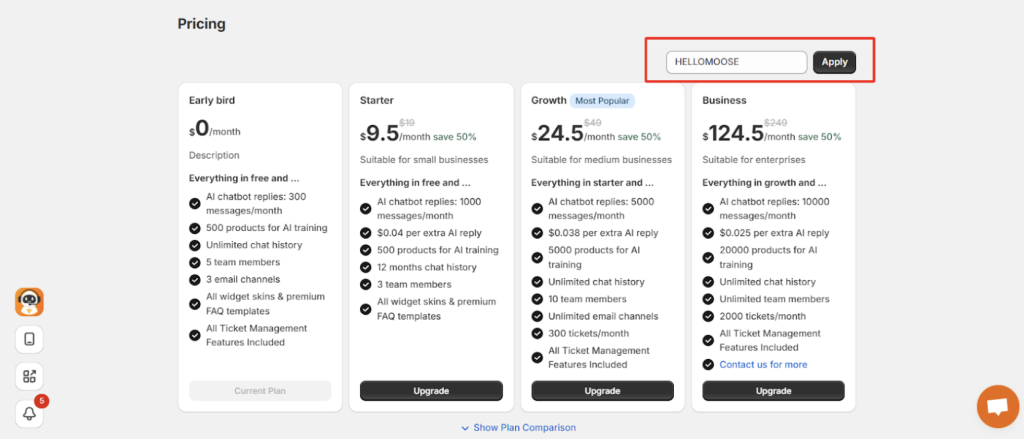
- Go to the Pricing page in MooseDesk.
- Enter the code HELLOMOOSE in the Apply code field at the top of the page.
- Click Apply to activate the discount.
- Choose your plan and complete the upgrade.
How usage & quota are displayed #
Early Bird users may see usage and quota information in two places inside MooseDesk. These indicators are shown for visibility and comparison only and do not affect your access or incur any charges.
1. Dashboard – Current Plan Summary #
On the Dashboard, you will see your plan listed as Early Bird ($0/month) along with usage numbers such as AI replies, products for AI training, team members, or email channels.
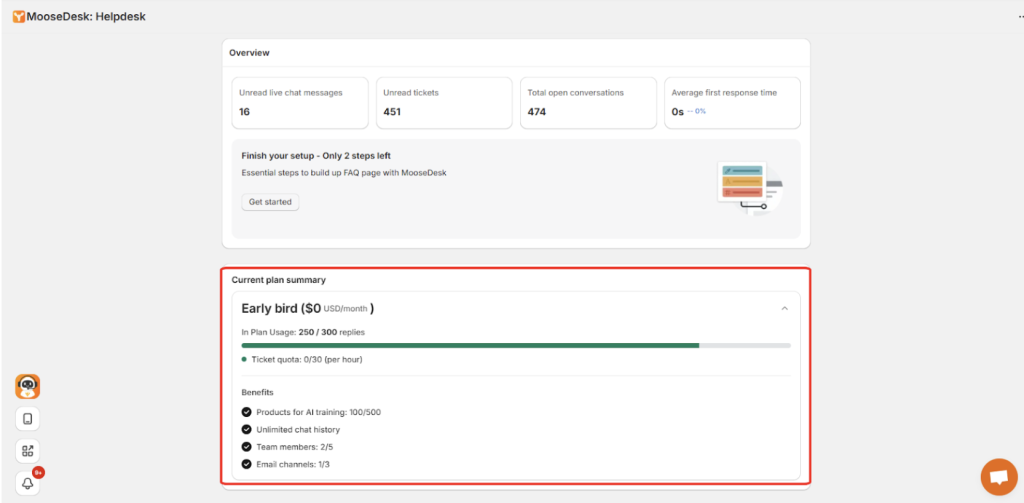
As an Early Bird user, you can continue using these features within the Early Bird quota without being charged any fees. If your business needs change, you may upgrade to a paid plan at any time to access higher limits or additional features, but upgrading is completely optional and does not affect your existing Early Bird access.
2. Pricing page – Plan comparison #
On the Pricing page, Early Bird appears alongside other plans to show feature differences and plan structure. The quotas shown for Early Bird on this page are for comparison only. They do not reduce your access, force an upgrade, or change your current benefits in any way.
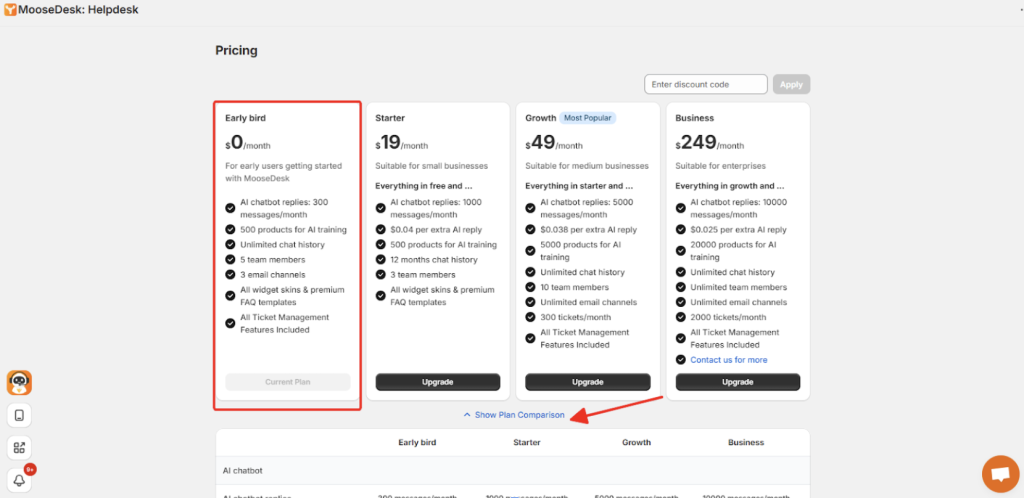
What you can use today as an Early Bird user will remain available to you regardless of what is shown in the comparison table.
Important notice #
If you uninstall and reinstall MooseDesk after 23:59 UTC 08 January 2026, Shopify will consider it a new installation. Your Early Bird status and exclusive offer will no longer apply.
Thank you again for being part of the MooseDesk journey from the beginning.
Support channels #
If you ever need assistance, our Help Center is packed with comprehensive guides and tutorials.
At MooseDesk, we’re always here to help. Our dedicated email and live chat teams are available around the clock. Drop us an email at help@moosedesk.com, or click the Live Chat icon located at the bottom left corner of the MooseDesk app, our official website, and even within this Help Center.