
How to set up order tracking automation with an AI chatbot on Shopify
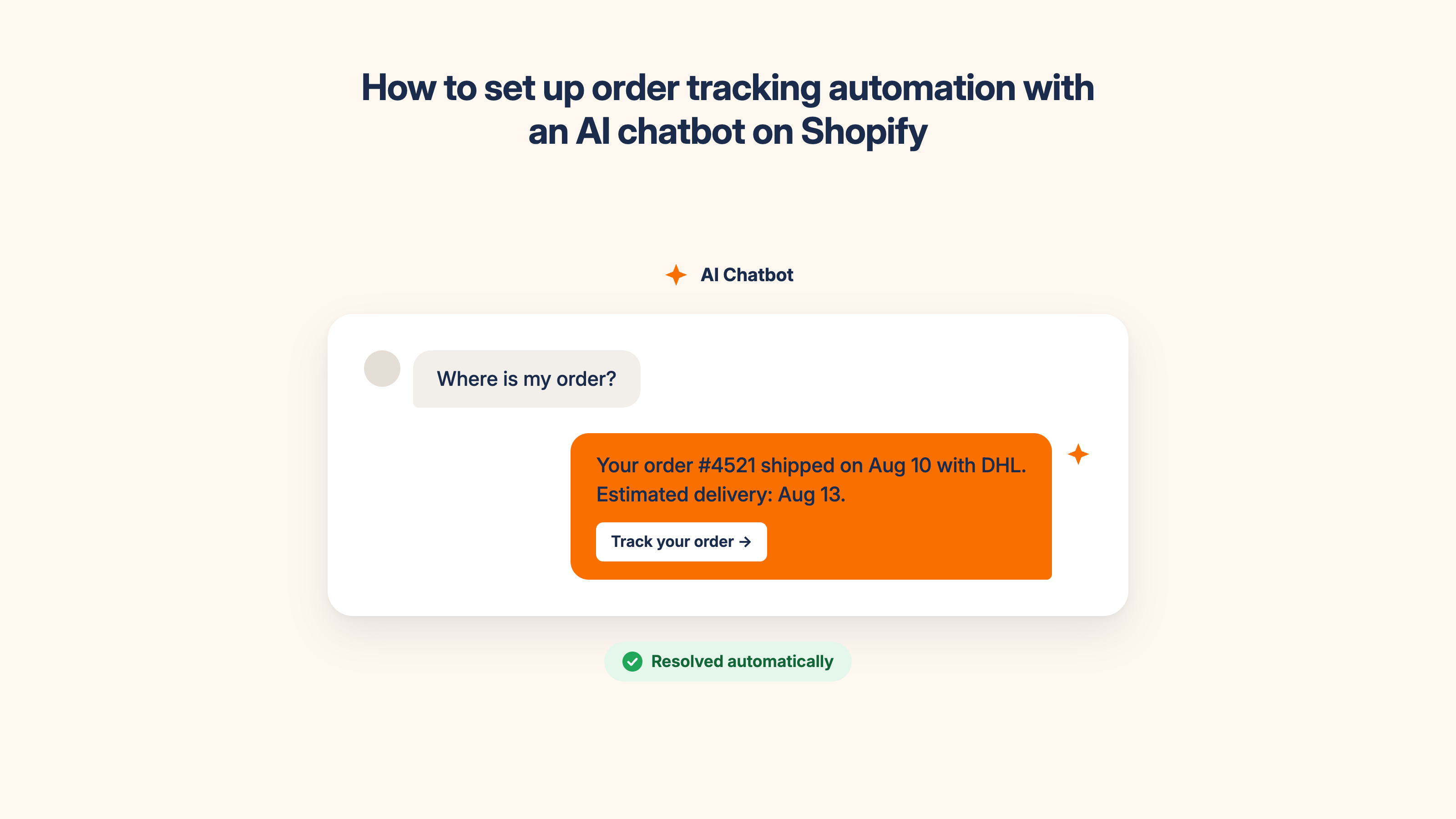
Table of contents
For most Shopify stores, the question of how to automate customer service starts with order status queries, which account for 20-40% of all support tickets. During BFCM and peak periods, that number climbs above 50%. These queries share one characteristic: the answer already exists in Shopify. The customer just can't access it without asking your team.
An order tracking chatbot connected to Shopify's order data answers these questions automatically, in real time, without any human involvement. This article is a step-by-step guide to setting that up, covering the mechanism, the setup process, what can go wrong, and what to measure.
For the broader picture on reducing ticket volume with AI, see: How to reduce support tickets on your Shopify store with AI
Why WISMO is the highest-ROI automation for Shopify stores
WISMO (Where is my order?) isn't just the highest-volume ticket type. It's the most automatable one. The answer is always in Shopify. Order status, tracking number, carrier, and estimated delivery date are all live data points that an AI chatbot can retrieve and return in seconds.
Unlike FAQ automation, which requires manual knowledge base training, or returns automation, which requires policy decisions, the decision to automate customer service for order tracking requires almost no content work. Connect the chatbot to Shopify's order data, test with real order numbers, and the automation is live. Most merchants who set up WISMO automation first see results within the first day.
MooseDesk's research on ecommerce support shows WISMO queries account for 20-40% of all support tickets in a typical store, rising above 50% during peak periods. A store doing 300 orders per month with a 15% WISMO query rate generates 45 WISMO tickets per month. Automated, those 45 tickets require zero agent time. That's roughly 3-4 hours of support work returned to the team every month from a single setup.
The reason to start with WISMO isn't just the volume. It's the speed to value. You can have WISMO automated in under an hour. Most other support automations take longer to configure and test.
For the full picture on how this fits into a broader ticket reduction strategy, see: AI chatbot for customer support: How to cut support tickets by 50%
How an AI chatbot answers order tracking questions on Shopify
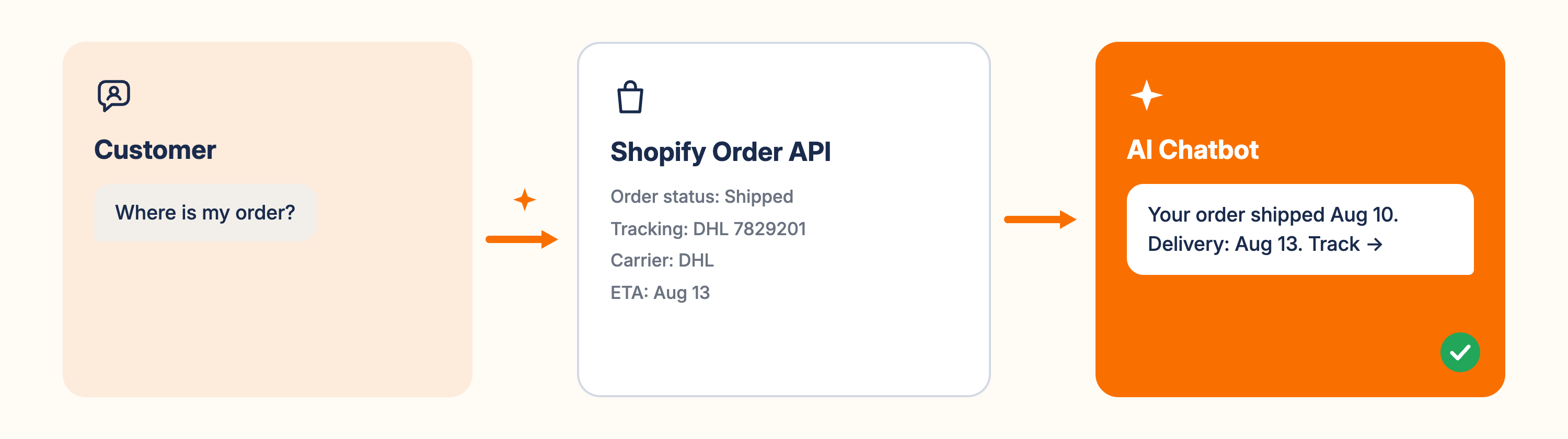
An order tracking chatbot handles WISMO queries through two steps: it identifies the customer's order, then retrieves the live status.
Step 1: Customer identification. The chatbot needs to know which order to look up. It asks the customer for one of three identifiers: their order number, the email address on the order, or their name plus postcode combination. Shopify-native chatbots can also identify logged-in customers automatically and skip this step entirely.
Step 2: Live data retrieval. The chatbot queries Shopify's order management API in real time. It retrieves: order status (processing, fulfilled, shipped, delivered), tracking number and carrier, estimated delivery date, and any exception flags (delayed, lost, customs hold). It returns this in a clear, conversational response.
Here's what that looks like in practice:
Customer: Where is my order?
Chatbot: Hi Sarah — your order #4521 shipped on August 10 with DHL. Estimated delivery is August 13. You can track it here: [tracking link]. Is there anything else I can help with?
This works because the chatbot reads live Shopify data, not a cached or manually updated database. If the order status changes, the chatbot's next response reflects the updated status automatically.
The critical requirement: the chatbot must connect to Shopify through the native API, not through a periodic sync or CSV export. Synced data can be hours or days behind, which produces inaccurate order status responses. Inaccurate tracking information damages customer trust faster than no automation at all.
Step-by-step setup guide
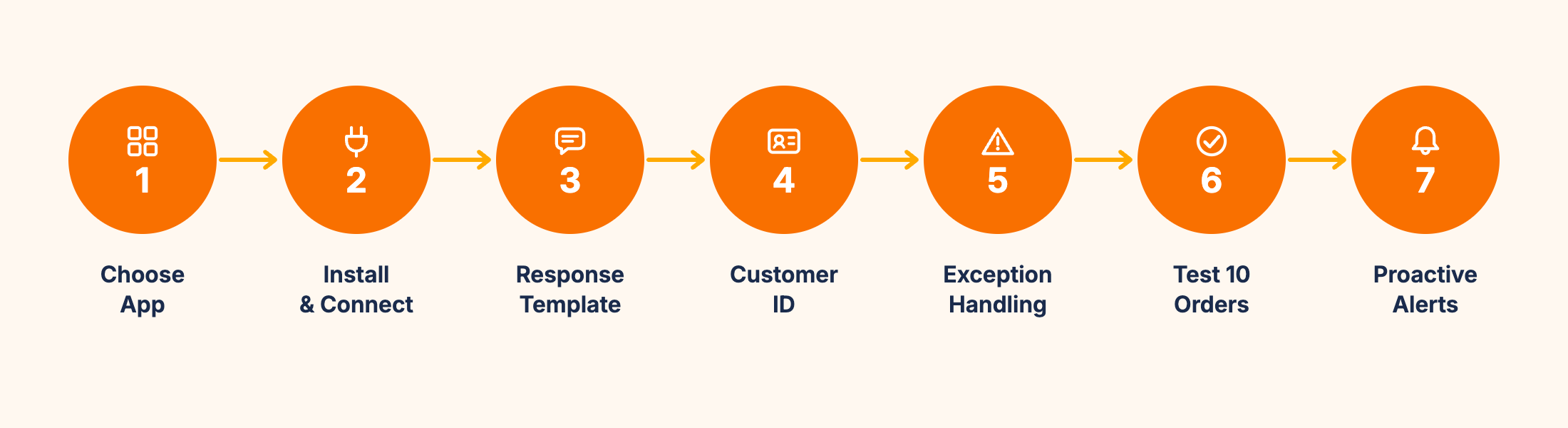
These seven steps take you from a blank chatbot installation to live WISMO automation, in the right order for fastest time-to-value.
Step 1: Choose a Shopify-native AI chatbot app. The chatbot must connect directly to Shopify's order management through the Shopify API. This is non-negotiable for WISMO accuracy. Look for: native Shopify API access (not a third-party sync), no-code setup from the App Store, and the ability to retrieve live order status, tracking numbers, and estimated delivery dates. MooseDesk connects to Shopify's live order data natively and includes order tracking automation as a core feature.
Step 2: Install and connect to your Shopify store. From the Shopify App Store, install the chatbot app. Grant the required permissions for order data access. The connection process takes under 5 minutes for Shopify-native apps. After connection, verify that the app can read your order history by querying a recent order number in the app's test interface before proceeding.
Step 3: Configure the WISMO response template. Set the chatbot's response for order tracking queries. Include: order status, tracking number, carrier name, estimated delivery date, and a direct link to the carrier's tracking page. Write the response in your brand voice. A casual lifestyle brand might write "Your order is on its way!" while a professional brand might use "Your order has been dispatched." The data returned is the same. The tone reflects your store.
Step 4: Set up customer identification. Configure how the chatbot identifies which order to look up. Options: ask for order number, ask for email address, or auto-identify logged-in customers via Shopify's customer API. For stores with many guest checkout orders, email address is the most reliable identifier. For stores with high account registration rates, auto-identification removes the friction of asking entirely.
Step 5: Configure exception handling. Not every order query has a clear answer. Set specific responses for exception states:
- Delayed in transit: acknowledge the delay, provide carrier contact information
- Lost or missing: escalate immediately to a human agent with full order context
- Delivered but not received: escalate to a human agent with delivery confirmation details
- Customs hold: provide the customs reference number and basic guidance
Each of these requires human judgment. Configure the chatbot to escalate cleanly, passing the full conversation context to the live agent so the customer never has to repeat themselves.
Step 6: Test with at least 10 real orders. Before going live, test the chatbot with 10 real order numbers across different statuses: processing, shipped, delivered, and at least one exception state if available. Verify that the response is accurate, the tracking link works, and the carrier information is correct. If any response is inaccurate, check whether the issue is with the API connection or the response template.
Step 7: Set proactive messaging for delivery exceptions (optional but high-value). Configure the chatbot to proactively notify customers when their order enters an exception state: a delay, a missed delivery attempt, or a customs hold. This turns a potential complaint into a proactive communication and significantly reduces the volume of distressed WISMO queries that arrive after a problem has already escalated in the customer's mind.
Here's something worth sharing from our own experience: the team behind MooseDesk has been building Shopify solutions for over 10 years, and MooseDesk launched in 2023 with order tracking automation as one of the first features we built. The pattern we see most consistently is that merchants who test with 10 or more order numbers in Step 6 find at least one edge case they hadn't anticipated. The most common: an order marked as delivered by the carrier but not received by the customer. This state requires a human and a clear escalation path, yet most merchants don't configure it until a real customer hits it. Testing before launch is the single step that prevents the most post-launch problems.
For the complete installation guide, including widget placement and live chat configuration, see: How to add live chat and AI chatbot to your Shopify store
What can go wrong (And how to handle it)
Most guides only cover the success path. These five failure modes are worth knowing before you launch.
1. Stale tracking data. If the chatbot connects through a third-party sync rather than directly to Shopify's API, tracking information can be hours behind. A customer whose order shipped this morning gets told it's still processing. Fix: verify native API connection in Step 1. This failure mode is entirely avoidable and entirely the result of choosing the wrong connection method.
2. Incorrect customer identification. If a customer provides an order number that doesn't match their email, the chatbot may not find the order and defaults to a fallback response. Fix: configure the chatbot to ask for an alternative identifier (email or name) when the first attempt doesn't match, rather than returning a generic error message. The customer shouldn't hit a dead end on a question that has a clear answer.
3. Carrier not recognised. For smaller or regional carriers not in the chatbot's default carrier database, tracking links may not generate correctly. Fix: add custom carrier configurations for the carriers your store uses most frequently, and test these specifically in Step 6.
4. Overconfident delivery date phrasing. Estimated delivery dates from Shopify are carrier-provided estimates and can be inaccurate. If the chatbot says "your order will arrive on August 13" and it doesn't, customers are frustrated by the chatbot specifically, not just the carrier. Fix: train the response template to say "estimated arrival" and "approximately" rather than "will arrive." A small language change that reduces misdirected frustration significantly.
5. Exception states not configured. An order that's been returned to sender, held in customs, or requiring a signature on delivery is a situation the chatbot cannot resolve. If these states aren't explicitly configured for escalation in Step 5, the chatbot may return a confusing partial answer. Fix: configure escalation for all exception statuses before going live. The 30 minutes this takes in setup prevents the most trust-damaging customer interactions.
What to measure
Two metrics tell you whether WISMO automation is working.
WISMO deflection rate. The percentage of order status queries resolved by the chatbot without human involvement. Target: 85-95% for well-configured WISMO automation. This category is more automatable than almost any other ticket type because the answers are purely data-driven. Below 70% typically means a configuration issue in customer identification or API connection, not a knowledge base gap.
WISMO ticket volume in the human queue (week-over-week). Total order tracking queries reaching your human support team. This should drop to near-zero within the first week for the queries the chatbot is covering. Any residual volume typically comes from exception states that haven't been configured yet, or customers who couldn't be identified using the current identification method.
For the full metrics framework covering support and revenue metrics together, see: AI chatbot metrics: What to track to know if it's actually working
Frequently asked questions about order tracking automation on Shopify
What is the best Shopify order tracking automation app?
For AI-powered WISMO automation, look for a Shopify-native chatbot app that connects to Shopify's live order data through the native API. This is more important than any other feature because it determines whether tracking information is accurate in real time. Apps that sync periodically rather than connecting natively will give customers outdated status information. For a full comparison of Shopify AI chatbot options: Best AI Chatbot Apps for Shopify.
Can I track orders on Shopify without an app?
Yes. Shopify includes a built-in order status page that customers receive in their order confirmation email, and the Shopify admin panel shows current status and tracking information for the merchant. However, these require customers to check proactively. An AI chatbot adds the conversational layer: customers can ask about their order status in natural language, at any time, and get an instant answer without navigating to a separate page or waiting for a human to respond.
How long does order tracking automation take to set up?
For a Shopify-native AI chatbot, basic WISMO automation is typically live within 30-60 minutes: 5 minutes to install and connect, 15 minutes to configure response templates and customer identification, 20-30 minutes to test with real orders. Exception handling (Step 5) adds another 30-60 minutes if done thoroughly. Most merchants have WISMO automation live within an hour and exception handling complete by the end of the first day.
Does Shopify Inbox handle order tracking automatically?
Shopify Inbox shows order information to the merchant in the chat interface, which helps human agents respond faster. However, it still requires a human to be online and actively respond to each query. It's an assisted tool, not autonomous WISMO automation. For fully automated order status responses without any human involvement, a dedicated AI chatbot with native Shopify API access is the right solution.
WISMO queries are the most automatable ticket category on Shopify. The answer is always in Shopify's order data, the setup is straightforward, and the time-to-value is faster than any other support automation. For a store drowning in order status queries, this is the right place to start.
For the complete picture on AI chatbots for Shopify, see our complete guide to AI chatbots for ecommerce.
MooseDesk connects directly to Shopify's live order data and answers WISMO queries automatically from day one. Most stores have order tracking automation live within an hour of installation.
Try MooseDesk
Automate order tracking in under an hour.
Free plan available. 1-min setup. 24/7 Support.