
How AI shopping assistants help Shopify customers find the right products
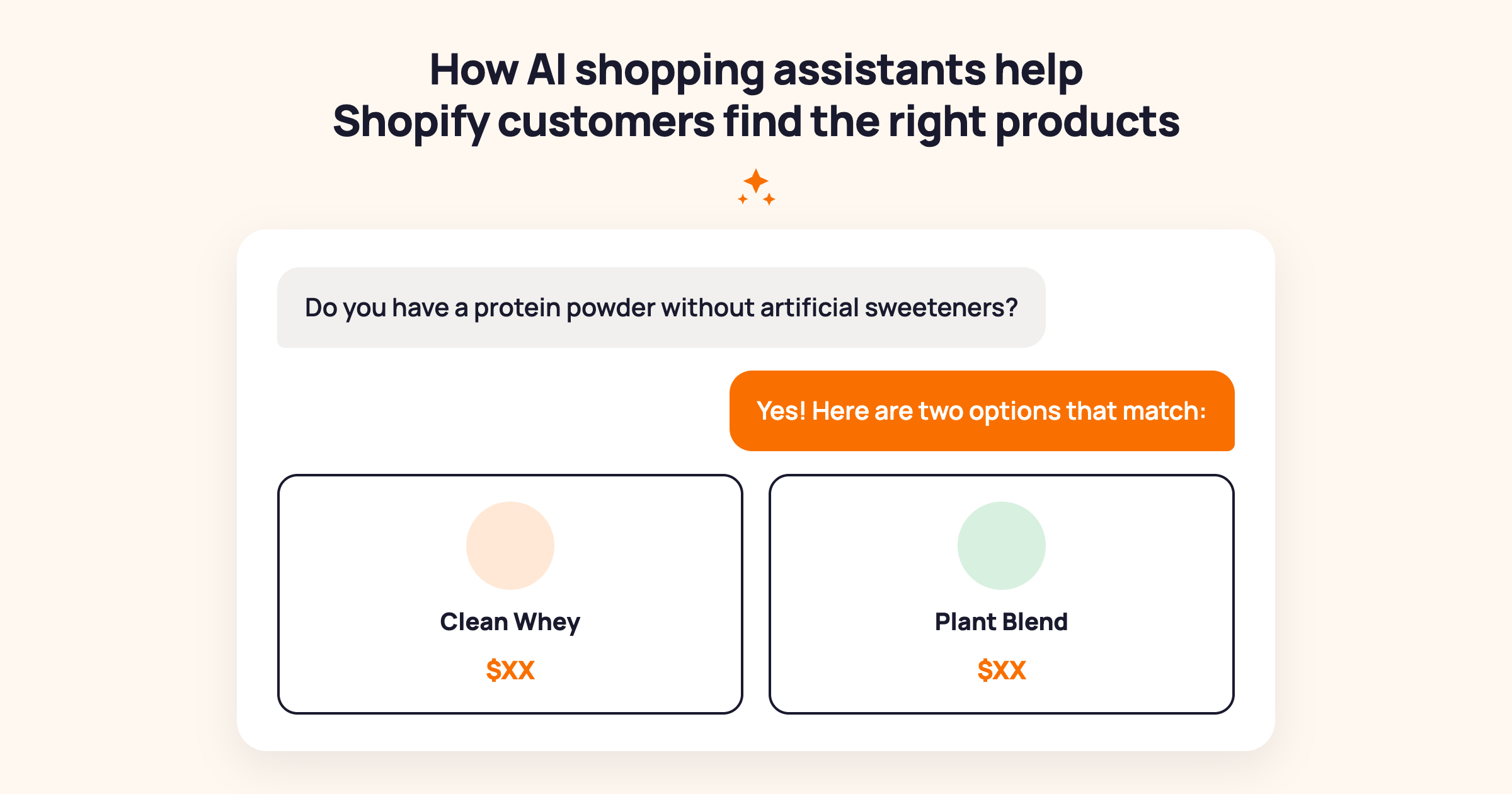
Table of contents
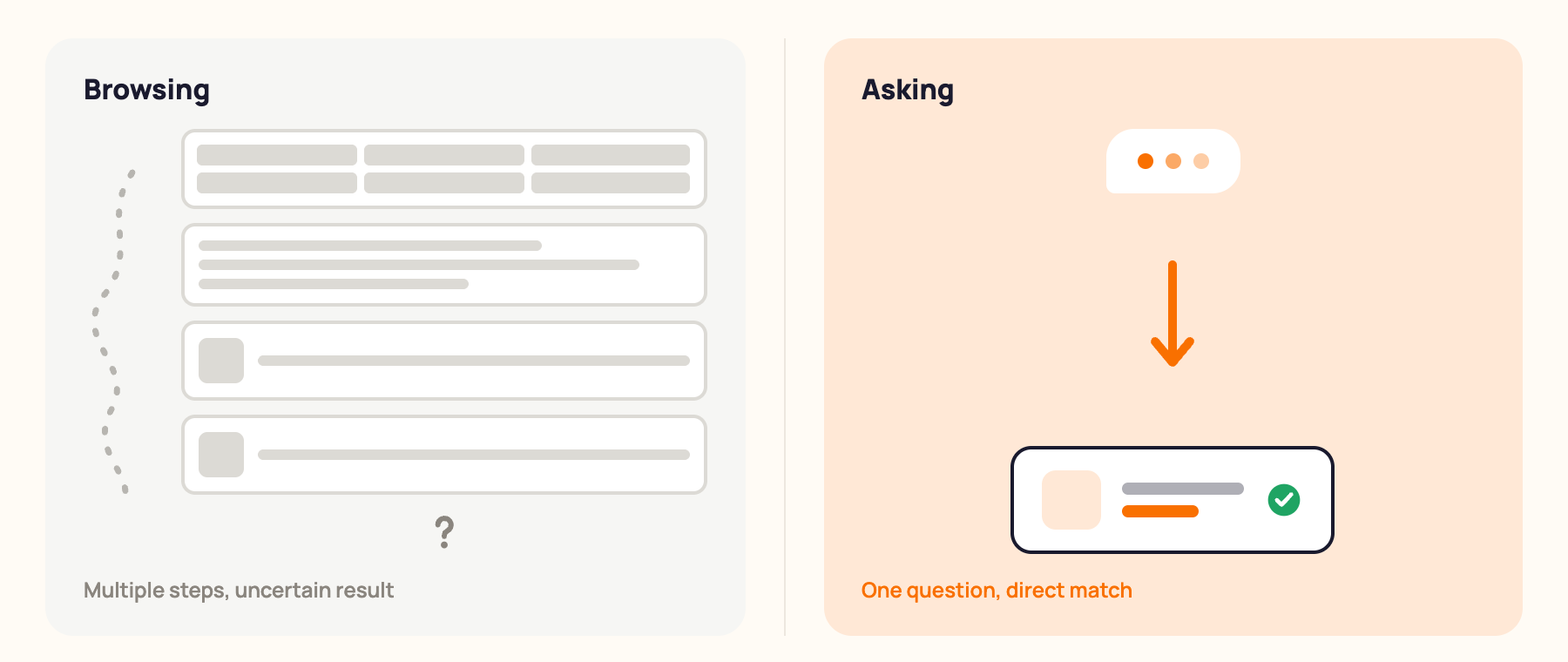
Most Shopify stores make customers work to find the right product. A customer who wants a moisturiser safe for sensitive skin, a protein powder without artificial sweeteners, or a gift for someone who likes cooking has to browse collection pages, read product descriptions one by one, and guess at the right filter combination.
An AI shopping assistant changes that. It's a chatbot trained on your product catalog that reads the customer's question in plain language and returns the matching products, with a brief explanation of why each one fits. The customer asks. The assistant finds. No browsing required.
This article covers how AI shopping assistants work on Shopify, when they make the biggest difference, how to make one accurate, and what to measure to know it's working.
For the broader case on how AI chatbots drive revenue, see: How AI chatbots drive sales for Shopify stores
What is an AI shopping assistant?
An AI shopping assistant is a chatbot that answers customer product questions using your store's product data. A customer types a question ("do you have a protein powder without artificial sweeteners?") and the assistant searches your catalog, finds the matching products, and returns them with a brief explanation of why each one fits the query.
This is what conversational commerce means in practice. The customer has a conversation with your store rather than browsing static pages. Instead of clicking through collections and reading product descriptions one by one, they ask in plain language and get a direct answer. For customers with specific requirements, this is dramatically faster than any browse-based navigation.
What it's not: an AI shopping assistant is not a tracking system that follows customers across sessions and proactively surfaces products based on their browsing behaviour. It's a question-answering tool. The customer initiates, the assistant finds. That distinction matters because it sets accurate expectations, and it's what most Shopify merchants actually need. A chatbot that answers product questions reliably is more useful than a complex personalisation engine that answers them inconsistently.
Where it fits in your store: any store where customers have specific requirements that don't map cleanly to your navigation or filter options. Specialty ingredients, functional use cases, gifting contexts, compatibility requirements, dietary restrictions. These are questions with answers. The assistant finds them.
When an AI shopping assistant makes the biggest difference
Not every store needs an AI shopping assistant equally. These four contexts are where the difference is most measurable.
1. Specialty ingredient or specification requirements. A skincare store selling 80 products to customers with specific allergies, pregnancy-safe requirements, or ingredient sensitivities. A supplement store where customers ask about protein for weight loss, creatine for endurance, or collagen for joint health. A specialty food store with extensive dietary restriction needs. When the customer's requirement is specific and the answer exists in your product data, a shopping assistant closes the gap instantly. No other tool does this for first-time visitors who have no browsing history on your site.
2. Gifting and occasion shopping. "A birthday gift for a 35-year-old who likes cooking, budget $60." This is a request with multiple criteria that no static filter combination handles well. A virtual shopping assistant can ask one clarifying question and return 2-3 matched options with a reason for each. The customer doesn't have to know your product names or category structure. They just describe what they need.
3. Functional use case matching. "Running shoes for road surfaces, not trail." "A desk lamp that doesn't cause eye strain during long work sessions." "A travel bag that fits under an airline seat." These are questions where the customer knows their requirement precisely but doesn't know how your products are named or categorised. A digital shopping assistant matches their functional requirement to your catalog without the customer needing to know your terminology.
4. Product comparisons. "What's the difference between your two protein powders?" "Which of your mattresses works best for side sleepers?" When a customer is deciding between two products and can't move forward without a clear answer, a comparison response removes the hesitation point and converts the browser into a buyer. McKinsey's research on personalisation in retail finds that relevant product guidance drives 10-30% more revenue on average across ecommerce categories. The comparison answer is one of the highest-value interactions a chatbot can provide.
The common thread across all four: these are intent-driven queries. The customer knows what they need. The chatbot shopping assistant finds which product in your catalog meets that need and explains it clearly.
How to make your AI shopping assistant actually accurate
The accuracy of an AI shopping assistant depends almost entirely on your product data. A chatbot trained on specific, customer-language product descriptions outperforms one running on generic catalog copy every time. Here's how to get it right.
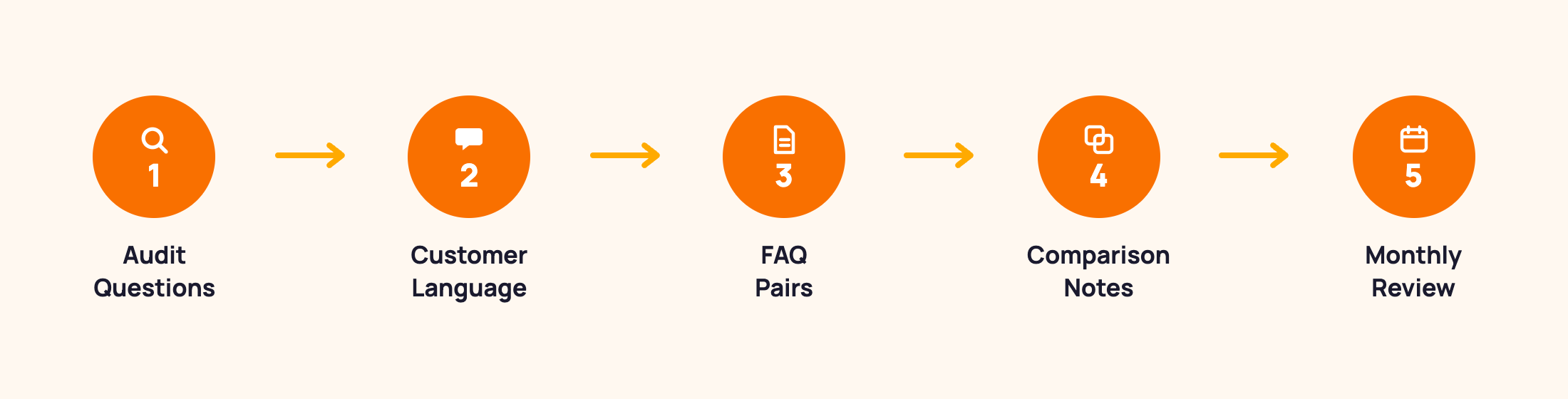
Step 1: Audit your most common product questions. Pull the last 30 days of customer queries from your support inbox, chat logs, and any previous chatbot conversations. List the most frequently asked product questions. Every question on that list that doesn't have a clearly findable answer in your product descriptions is a training gap. These gaps are your first priority.
Step 2: Write product descriptions in customer language. Shoppers ask "does this have parabens?" not "is this formulated without parahydroxybenzoates?" Your descriptions need to use the language your customers actually speak. Add the common terms alongside technical ones. "Fragrance-free and dermatologist tested for sensitive skin" will surface reliably for sensitive skin queries. "Suitable for all skin types" will not.
Step 3: Load your top 20-30 product FAQs into the knowledge base. Beyond product descriptions, the most common product questions should be explicit FAQ pairs in the chatbot knowledge base. "Which of your protein powders is best for weight loss?" deserves a direct curated answer, not a catalog search result. Write those answers and load them directly.
Step 4: Add comparison notes for frequently compared products. "What's the difference between X and Y?" is one of the highest-value questions before a purchase decision. Load comparison notes for your top 5-10 most frequently compared product pairs. If the chatbot can answer this question accurately, it removes a major hesitation point at the moment it matters most.
Step 5: Review and update monthly. A chatbot that returns a discontinued product or an outdated ingredient list damages trust. Set a monthly review: check that chatbot answers still match current stock, current formulations, and current pricing. Update before any major product changes or seasonal launches.
Here's something worth sharing from our own experience: the team behind MooseDesk has been building Shopify solutions for over 10 years, and MooseDesk launched in 2023 with product question-answering built into the core feature set. The stores that get the most accurate chatbot responses from day one are the ones that wrote product descriptions in the language their customers use, not the language of a product catalog. When we looked at which product questions the assistant failed to answer in the first two weeks, the pattern was consistent: the customer used everyday language and the product description used technical terminology. Closing that gap is always a data problem, not a technology problem.
For the full installation guide, see: How to Add Live Chat and AI Chatbot to Your Shopify Store
What an AI shopping assistant handles (And where humans still help)
An AI shopping assistant handles well: specific product questions with defined answers, gifting and occasion guidance, ingredient and specification queries, product comparisons, and basic "do you have X?" discovery questions. These cover the majority of pre-purchase product enquiries most Shopify stores receive.
Where it still needs a human:
- Subjective taste and style advice. "Will I like this perfume?" or "does this suit my personal style?" require judgment the assistant cannot reliably provide. These are better handled by a live agent who can ask follow-up questions and apply genuine expertise.
- Complex bespoke requests outside your catalog. When the customer needs something you don't stock, the assistant can acknowledge it doesn't have a match and hand off cleanly to a human who can help further.
- Emotionally sensitive situations. A customer frustrated with an order issue or an unhappy return needs a live agent, not a product discovery tool. The handoff should be immediate when tone signals suggest the customer is upset.
The right setup: the AI shopping assistant handles product discovery questions automatically. A live agent handles situations that need human judgment or empathy. The transition between the two should be clean. The customer should never have to repeat their question when they move from chatbot to human.
For the full breakdown on when to use chatbot versus live chat, see: AI Chatbot vs Live Chat: Which Does Your Shopify Store Actually Need?
What to measure
Two numbers tell you whether your AI shopping assistant is helping customers find products effectively.
Fallback rate on product queries. How often does the assistant fail to find a match when a customer asks a product question? A high fallback rate means your product descriptions don't contain the information customers are asking for. Export a week of fallback conversations, identify the most common unanswered question types, and add the answers to your product descriptions or knowledge base FAQ pairs.
Product question resolution rate. Of the customers who ask a product question, what percentage receive a useful answer without escalating to a human? Target: above 70% after the first month of active refinement. Below 50% means the product data needs significant work. Above 80% means the assistant is reliably functioning as a first-line product discovery tool.
Review both monthly. The most common failure pattern: the customer asks a question that should be answerable, but the product description uses different language than the query. The fix is always data, not technology.
For the full chatbot metrics framework, see: AI chatbot metrics: What to track to know if it's actually working
Frequently asked questions about AI shopping assistants for Shopify
What is the best AI shopping assistant for Shopify?
For Shopify stores, the best AI shopping assistant connects natively to your Shopify product catalog through the Shopify API, reading your actual product data rather than a manually updated knowledge base. MooseDesk is built specifically for Shopify and includes an AI chatbot that answers customer product questions from your live catalog, alongside live chat and helpdesk in one tool. For a step-by-step setup guide, see: How to Add Live Chat and AI Chatbot to Your Shopify Store.
Is there a free AI shopping assistant for Shopify?
Yes. MooseDesk offers a free plan with AI chatbot features including product question answering, unlimited AI replies, and training on up to 100 products. Shopify's Search and Discovery app is also free and improves product search and related product sections natively. For stores early in their growth, starting with the free tier of a Shopify-native AI chatbot is the most practical approach before investing in paid plans.
What does conversational commerce mean?
Conversational commerce means customers interact with your store through conversation rather than browsing. Instead of clicking through collection pages and reading product descriptions, they ask a question in plain language and receive a direct, relevant answer. An AI shopping assistant is the most practical implementation of conversational commerce for most Shopify stores. It gives every customer access to accurate product question-answering, 24 hours a day, without requiring a human to be online.
Which AI is best for Shopify?
For customer-facing product discovery, look for a Shopify-native AI chatbot that reads your actual product data and answers customer questions accurately. For passive product recommendations based on browsing behaviour, Shopify's Search and Discovery app (free, native) is the right starting point. Most Shopify stores benefit from running both: a chatbot for active question-answering and native widgets for passive discovery. See the full breakdown: Best AI Chatbot Apps for Shopify.
The difference between a customer who finds the right product and one who leaves is often a single question that didn't get answered quickly enough. An AI shopping assistant closes that gap for every intent-driven query your store receives, around the clock, without a human needing to be online.
For the complete picture on AI chatbots for Shopify, see our complete guide to AI chatbots for ecommerce.
MooseDesk's AI chatbot is trained on your Shopify product catalog and answers customer product questions accurately from the moment you install it. Start giving your customers a direct line to your products.
Try MooseDesk
Give every customer a direct line to the right product.
Free plan available. 1-min setup. 24/7 Support.