
How AI chatbots reduce cart abandonment on Shopify
Table of contents
Around 70% of Shopify shoppers who add something to their cart leave without buying, according to the Baymard Institute's aggregate research across ecommerce studies. For a store doing $50,000 per month, that's roughly $115,000 in potential revenue leaving every month.
Most merchants jump straight to recovery: email sequences, SMS follow-ups, discount codes. Those tools matter. But they only work after the shopper has already left. An AI chatbot operates earlier in the journey, removing the friction that causes abandonment in the first place. That's where the biggest lever sits.
This article covers both layers: how AI chatbots prevent cart abandonment before it happens, and how to pair that with email recovery for the shoppers who leave anyway.
For the broader case on how AI chatbots drive revenue, see: How AI chatbots drive sales for Shopify stores
Why most shoppers abandon (and why it's not about price)
The Baymard Institute's research identifies the top reasons shoppers abandon carts: unexpected shipping costs (48%), required account creation (24%), slow delivery estimates (22%), checkout that doesn't feel trustworthy (19%), and checkout processes that feel too long or complicated (17%).
Notice what's not on that list. Price dissatisfaction. Product disappointment. Changed mind. Those happen, but they're not the majority of abandonment events.
Most abandonment is friction abandonment. The shopper hit a question they couldn't quickly answer, a concern they couldn't resolve, or an obstacle they didn't want to deal with. Leaving was easier than finding the answer. The purchase intent was still there when they closed the tab.
This distinction matters because it changes what you build. If abandonment is mainly a friction problem, the highest-ROI fix is removing friction at the moment it appears, not chasing the shopper after they've already gone.
How AI chatbots prevent cart abandonment before it happens
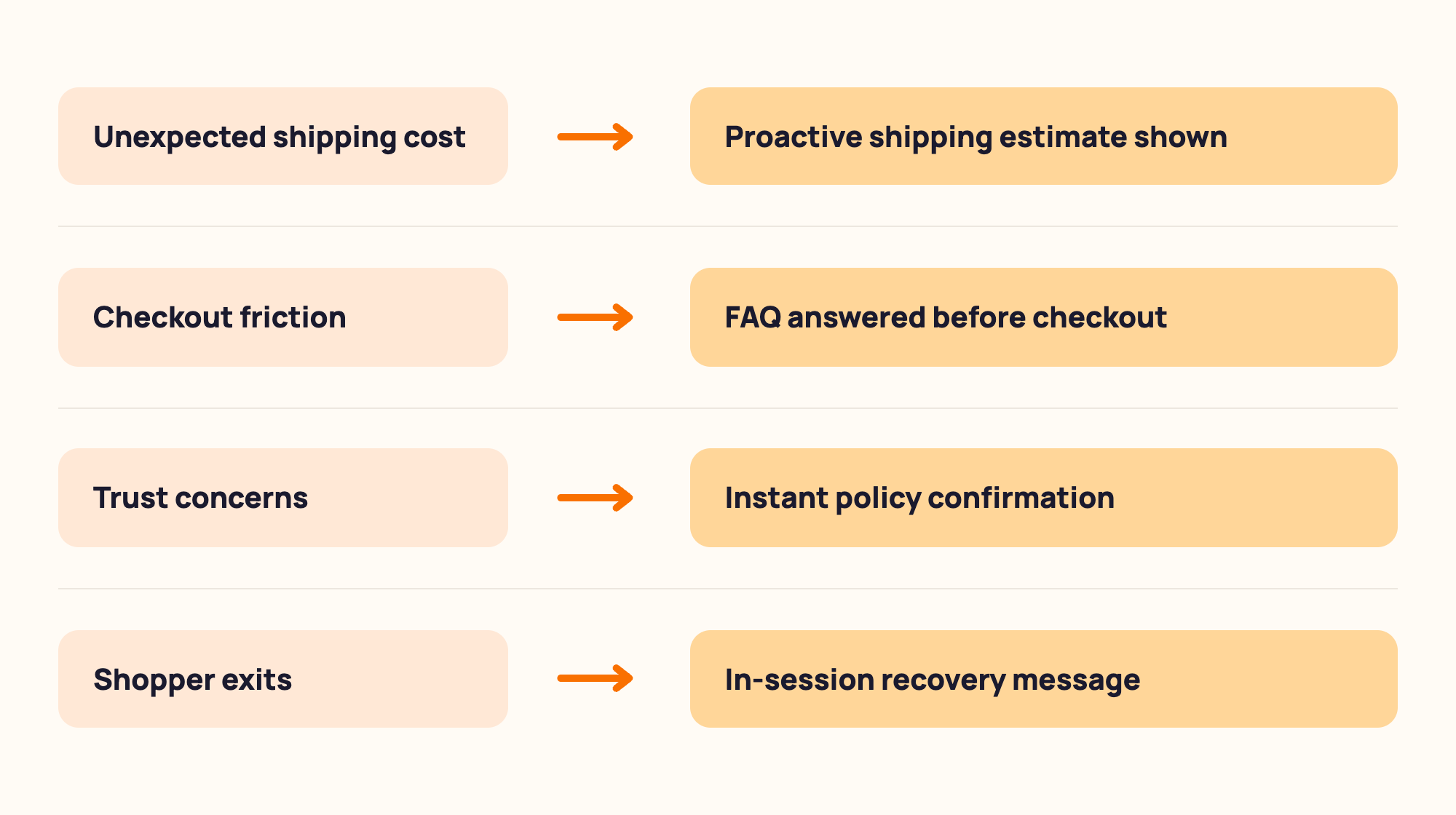
An AI chatbot addresses the friction causes of abandonment directly, in real time, at the exact moment hesitation appears. Here's how each cause maps to a chatbot response.
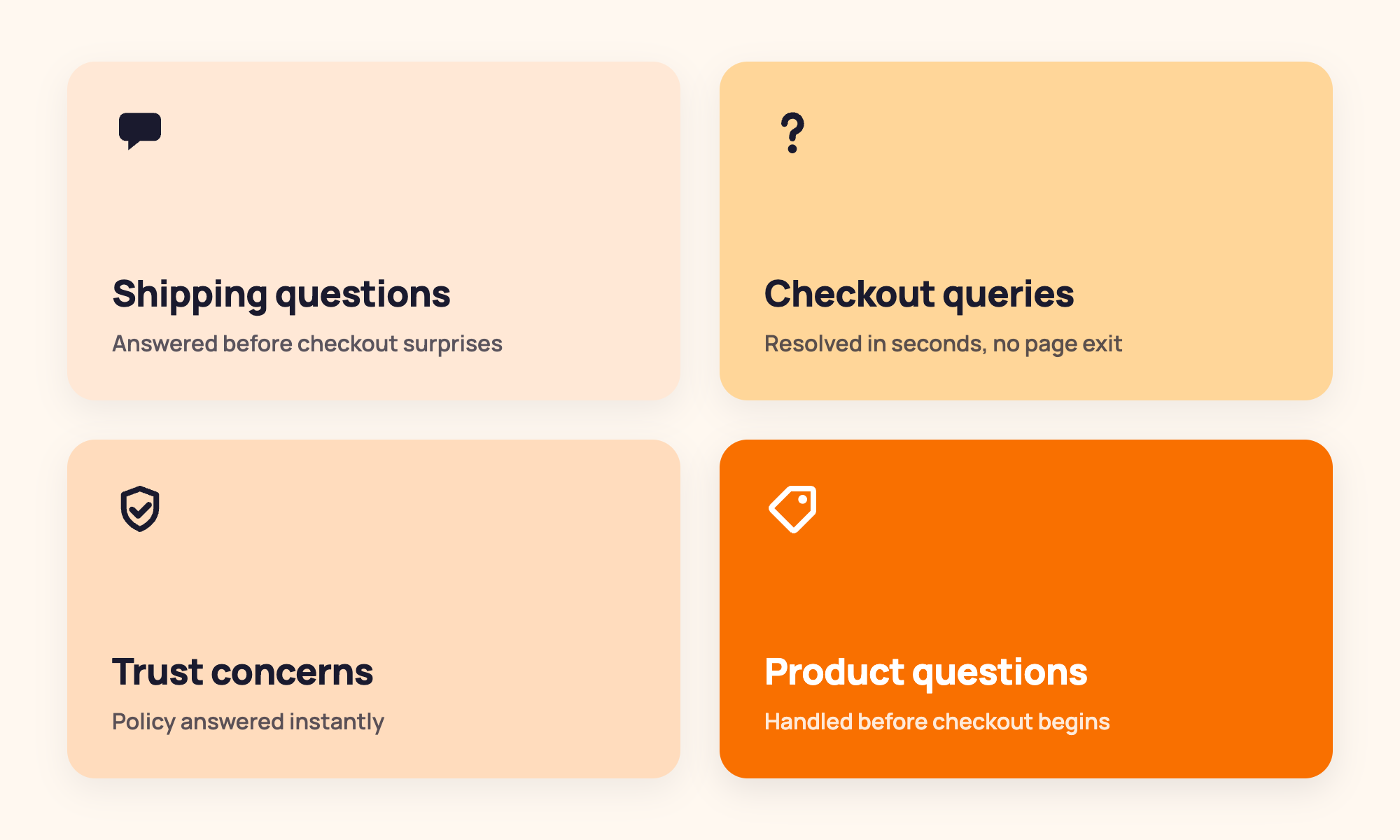
Unexpected shipping costs. A chatbot trained on your shipping rules can answer "how much does shipping cost to Texas?" or "do you offer free shipping?" instantly, before the shopper reaches checkout and sees a number they didn't expect. Answering this on the product page or in the cart keeps the shopper moving toward checkout rather than bouncing.
Checkout feels too long or complicated. Discount code questions, gift wrapping options, order customisation. These create hesitation mid-checkout. A chatbot answers them in seconds without the shopper needing to navigate away, open a new tab, or send an email that won't be answered until tomorrow.
Checkout doesn't feel trustworthy. A shopper who isn't sure about your returns policy, your shipping timeline, or your payment security is a shopper who is about to leave. A chatbot that answers "what's your return policy?" or "is this site secure?" with a clear, confident response builds trust at exactly the moment the purchase hangs in the balance.
Pre-purchase product questions at the wrong moment. A shopper who gets to checkout and realises they're not sure about sizing, compatibility, or ingredients is highly likely to abandon. A chatbot present throughout the shopping journey answers these before they become exit reasons.
Real Shopify scenario: A skincare store gets high traffic but a below-average checkout conversion rate. Their support inbox is full of "is this safe for sensitive skin?" questions. They install an AI chatbot trained on full ingredient lists and product certifications. The same question, asked at any point in the shopping journey, gets an instant accurate answer. The shopper doesn't need to leave the checkout page to find out. Checkout conversion rate improves in the first month because the most common friction point has been removed.
Here's something from our own experience that's worth sharing: the team behind MooseDesk has been building Shopify solutions for over 10 years, and MooseDesk launched in 2023 specifically to address the support fragmentation Shopify merchants kept describing. The pattern we see most consistently across stores using MooseDesk is that the merchants who see the biggest drop in checkout abandonment from their chatbot are the ones who trained it on their actual product data (real ingredient lists, real sizing guides, real shipping zone rules), rather than generic FAQ templates. Specificity is the difference between an answer that reassures and one that sends the shopper to Google to verify.
Proactive checkout engagement: The most underused chatbot feature
Beyond answering questions when asked, an AI chatbot can open proactively, without waiting for the shopper to type something first.
The most effective use of this is the checkout engagement trigger. When a shopper has been on the checkout page for 45-60 seconds without completing the order, the chatbot opens with a short, low-pressure message: "Any questions before you complete your order? I can help with shipping times, returns, or applying a discount code."
This catches hesitation at the point of highest purchase intent. The shopper is still on the page, still considering, still a single answered question away from completing. Proactive checkout engagement consistently improves conversion on triggered conversations because the barrier was information, not intent.
The timing matters more than merchants expect. Set the trigger too early (at 10 or 15 seconds) and it feels intrusive before the shopper has had time to read the page. Set it too late (at 3 or 4 minutes) and the shopper has often already navigated away. The 45-60 second window gives the shopper time to process the checkout page and reach the moment of hesitation, which is exactly when the chatbot can be most useful.
The recovery layer: What email does that chatbots currently don't
Let's be direct about scope. MooseDesk's current feature set focuses on the prevention layer: answering questions, removing friction, building trust throughout the shopping journey, and proactively engaging shoppers at checkout. Automated post-exit cart recovery messaging is not currently a MooseDesk feature.
For the recovery layer, two tools handle this well on Shopify:
Shopify's built-in abandoned checkout emails. Every Shopify plan includes automated abandoned checkout emails out of the box. Go to Settings, then Notifications, then Abandoned checkout. Shopify sends a reminder 10 hours after abandonment by default. This catches shoppers who revisit their inbox later and requires zero additional cost or setup. It's the right starting point.
Klaviyo. If you want more control (segmented flows, multiple touchpoints, personalised content based on cart value or product category, and proper analytics), Klaviyo is the standard for Shopify email recovery. Standard abandoned cart email flows recover 10-15% of carts, according to Klaviyo's own research. AI-personalised flows with dynamic product content reach 20-30%.
The honest framing: prevention and recovery are complementary, not competing. A chatbot that removes friction before abandonment reduces the volume of shoppers who need to be recovered. Email recovery catches the ones who leave anyway. Running both is stronger than either alone.
How to set up checkout friction prevention on Shopify
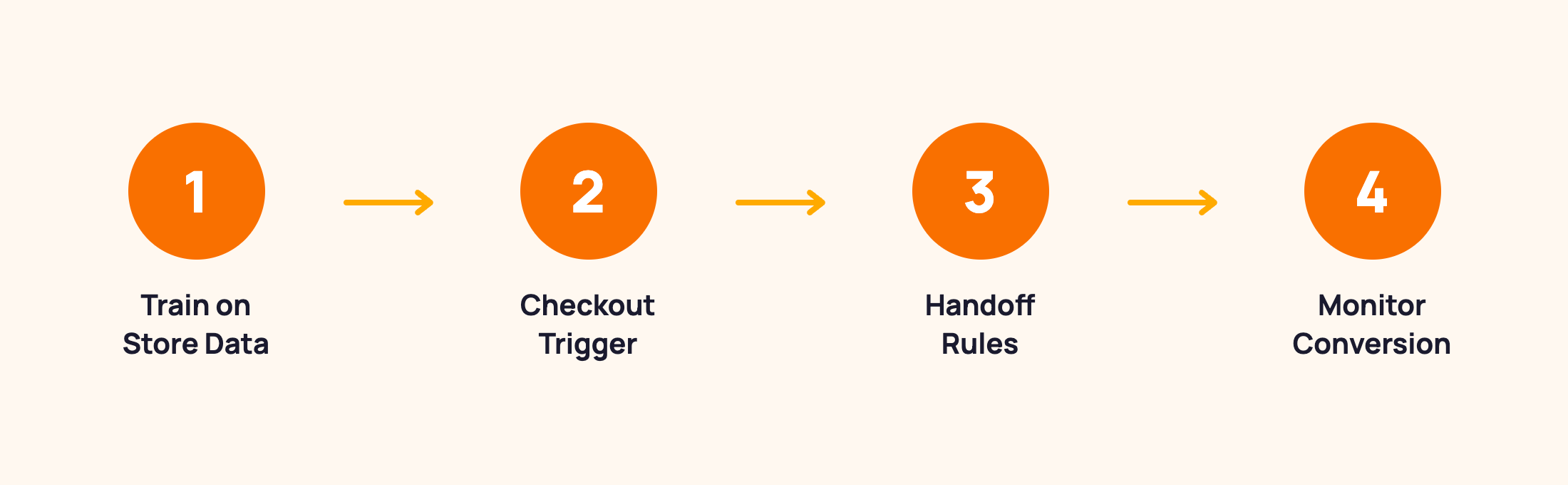
The chatbot setup for cart abandonment prevention focuses on three things: training the chatbot on your store's specific data, configuring proactive checkout engagement, and ensuring human handoff is ready for the queries the bot can't handle.
Step 1: Train on your actual store data. Load your shipping rules, return policy, product FAQs, sizing guides, and ingredient lists into the chatbot knowledge base. Use the exact questions your customers ask, pulled from your support inbox, not polished FAQ copy. "do you ship to canada" is a real query. "Is international shipping available?" is what the FAQ says. Train on the first, not the second.
Step 2: Configure proactive checkout engagement. Set a trigger: if a shopper is on the checkout page for 45-60 seconds without completing, the chatbot opens. Message: "Any questions before you finish your order?" Keep it short. This is not a sales pitch. It's an offer to remove friction.
Step 3: Set up human handoff rules. Define which queries should escalate to a live agent: complex return disputes, order modification requests, anything the bot answers incorrectly. Set business hours so the chatbot handles after-hours queries automatically, with a clear message about when to expect a human response.
Step 4: Monitor checkout conversion rate by traffic source. After launch, compare checkout conversion rate for sessions where the chatbot was engaged versus sessions where it wasn't. If chatbot-assisted sessions convert at a higher rate, the friction reduction is working. If there's no difference, the chatbot either isn't being triggered correctly or isn't answering the questions that matter.
For the full installation walkthrough, see: How to Add Live Chat and AI Chatbot to Your Shopify Store
What to measure
Three numbers tell you whether your chatbot is reducing cart abandonment effectively.
Chatbot-assisted checkout conversion rate. Compare the conversion rate for sessions where the chatbot was engaged versus unassisted sessions. If there's a meaningful difference, the friction removal is working. If there isn't, the chatbot isn't addressing the questions that cause abandonment for your specific store. Audit the chat logs for the most common unanswered questions.
Fallback rate on checkout-related queries. How often is the chatbot failing to answer a question a shopper asks during or before checkout? A high fallback rate in shipping or returns categories means the knowledge base has gaps that are likely costing you sales.
Email recovery rate (separate measurement). Track what percentage of Shopify's abandoned checkout emails result in a completed order. This is your baseline recovery rate without the chatbot prevention layer. After implementing chatbot prevention, the total abandonment volume should decrease (fewer shoppers leave with unanswered questions), which means your email recovery rate may improve even without changing the emails themselves.
For a full chatbot metrics framework covering both support and revenue metrics, see: AI Chatbot Metrics: What to Track to Know If It's Actually Working
Frequently asked questions about cart abandonment and AI chatbots
How do I decrease abandoned carts on Shopify?
The most effective approach addresses both causes and recovery. For causes: use an AI chatbot to answer shipping, return, and product questions throughout the shopping journey, especially at the checkout page where hesitation peaks. Removing the question that causes the exit is more efficient than chasing the shopper after they've already left. For recovery: use Shopify's built-in abandoned checkout emails (included with every plan) or Klaviyo for more sophisticated recovery sequences.
How do I recover abandoned carts on Shopify?
Shopify includes built-in abandoned checkout email recovery in every plan. Go to Settings, then Notifications, then Abandoned checkout. For higher recovery rates with segmentation and personalisation, Klaviyo integrates directly with Shopify and supports multi-touch recovery sequences. Klaviyo's research shows standard flows recover 10-15% of abandoned carts, with AI-personalised flows reaching 20-30%. Pair email recovery with chatbot-based prevention to reduce the volume of carts that need recovering in the first place.
What percentage of shoppers abandon their cart?
Around 70% on average, according to the Baymard Institute's aggregate research. The figure varies by industry: luxury and high-consideration products trend above 75%, consumables trend lower. Mobile abandonment runs higher than desktop. The more actionable question for a Shopify merchant: what percentage of your abandonment is driven by unanswered questions rather than genuine price resistance? Most stores find it's 30-40%, which is the portion most directly addressed by chatbot friction removal.
Does an AI chatbot replace abandoned cart emails?
They work at different stages of the journey, not in competition with each other. An AI chatbot prevents abandonment by answering questions before the shopper leaves. Abandoned cart emails recover shoppers after they've left. Prevention reduces the volume that emails need to recover. Recovery catches the shoppers who leave despite the friction being removed. Running both together produces better results than either alone.
Cart abandonment is mostly a friction problem, not a price problem. The most effective way to reduce cart abandonment isn't a bigger discount. It's removing the question the shopper couldn't get answered before they closed the tab.
An AI chatbot handles that prevention layer: answering questions, building trust, and engaging hesitating shoppers at checkout. Email recovery handles the shoppers who leave anyway. Both together give you a genuinely complete cart abandonment strategy.
For the complete picture on what AI chatbots can do across your Shopify store, see our complete guide to AI chatbots for ecommerce.
MooseDesk handles the prevention layer: AI chatbot, live chat, and helpdesk in one Shopify-native app, trained on your store data and ready to answer the questions that cause shoppers to leave.
Try MooseDesk
Stop losing carts to unanswered questions.
Free plan available. 1-min setup. 24/7 Support.